

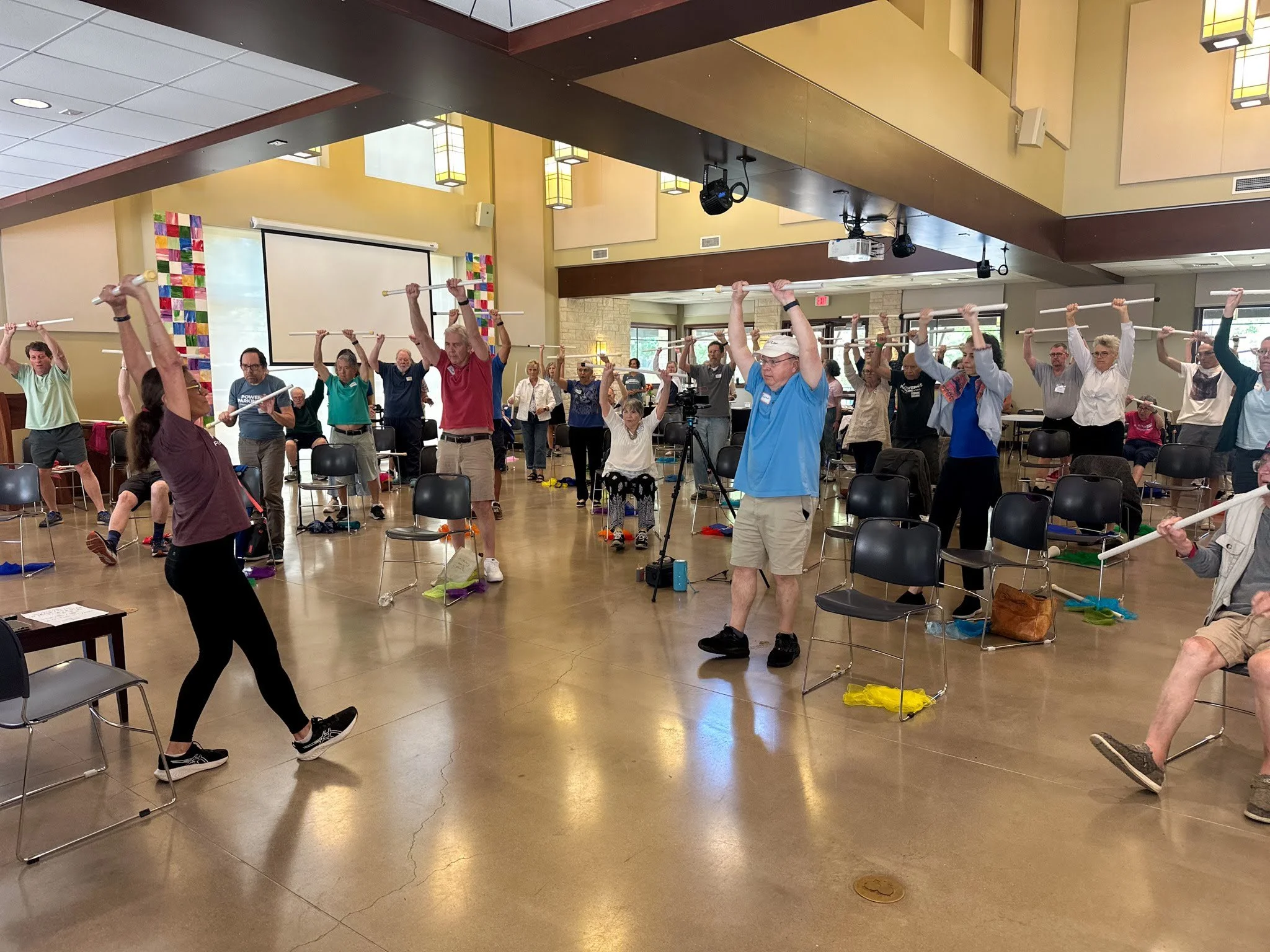
Become a Crowdfunding Champion for Power for Parkinson’s!
Crowdfunding is a method of fundraising that empowers donors to become advocates for the causes they believe in by sharing fundraising campaigns with their own networks and amplifying their reach. As a small non-profit relying primarily on individual donors, crowdfunding has the potential to make a huge impact on Power for Parkinson’s and our free services for people with Parkinson’s.
This year, everyone who starts a crowdfunding campaign for Power for Parkinson’s has the chance to win a special PFP gift bag. We will be raffling off 3 gift bags to crowdfunding organizers. Follow the steps below to start your own crowdfunding campaign during our Ride the Waves Fundraiser!
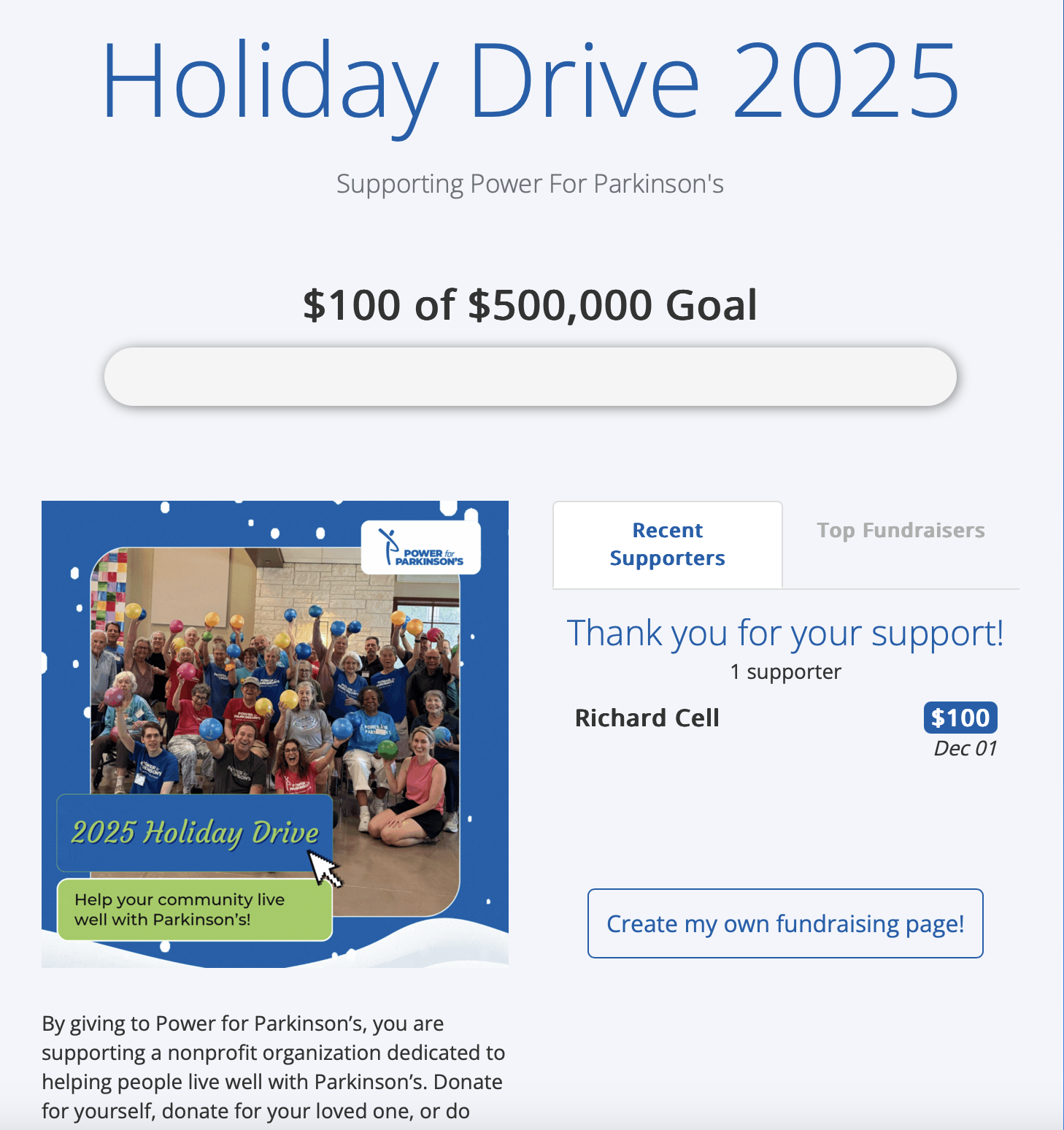
Step 1
CLICK HERE to view our Ride the Waves fundraising page and click on the blue “Create my own fundraising page” button.
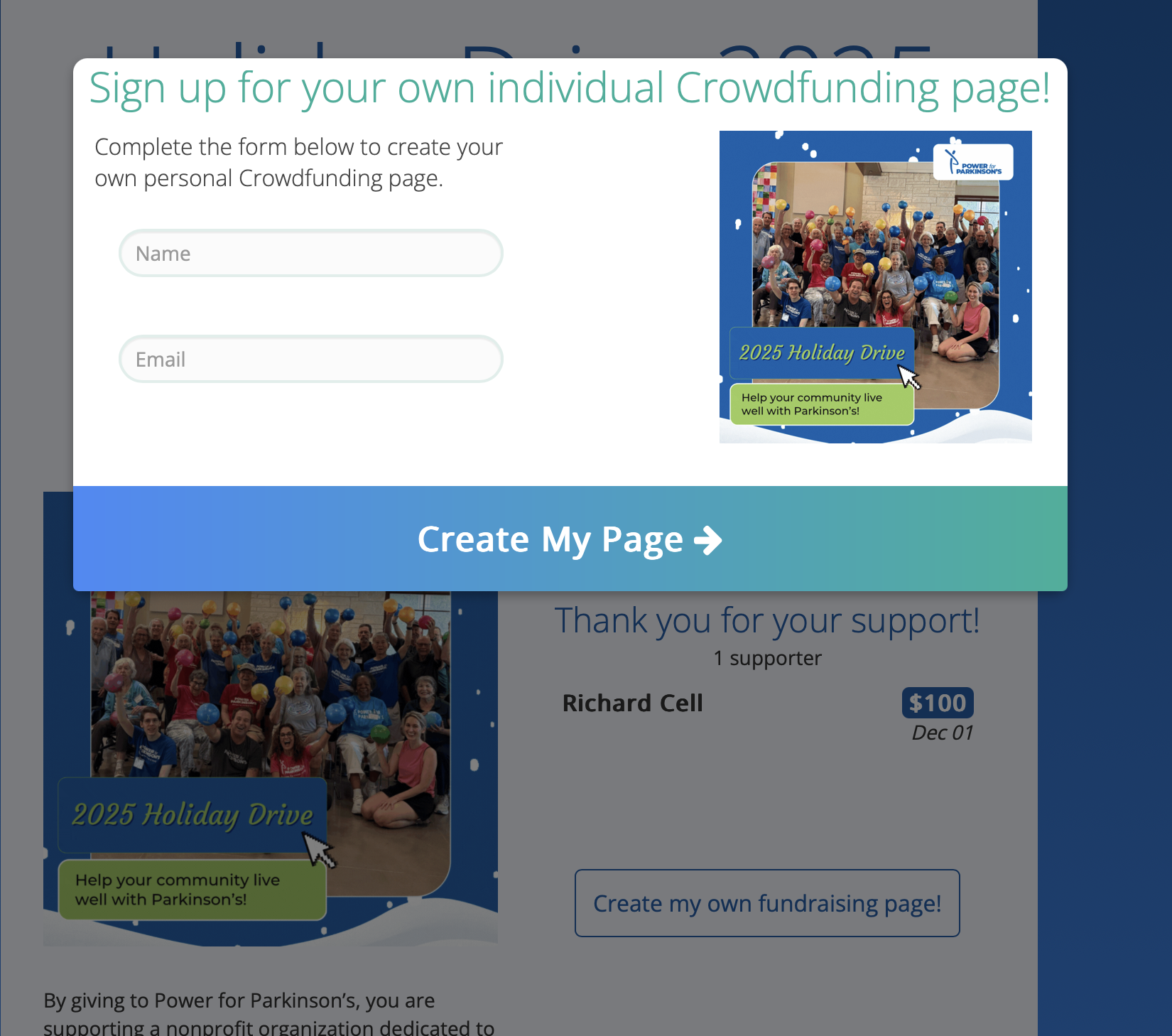
Step 2
After clicking the button, you will be prompted to sign up using your name and email. Fill out the form and click “Create my page.”
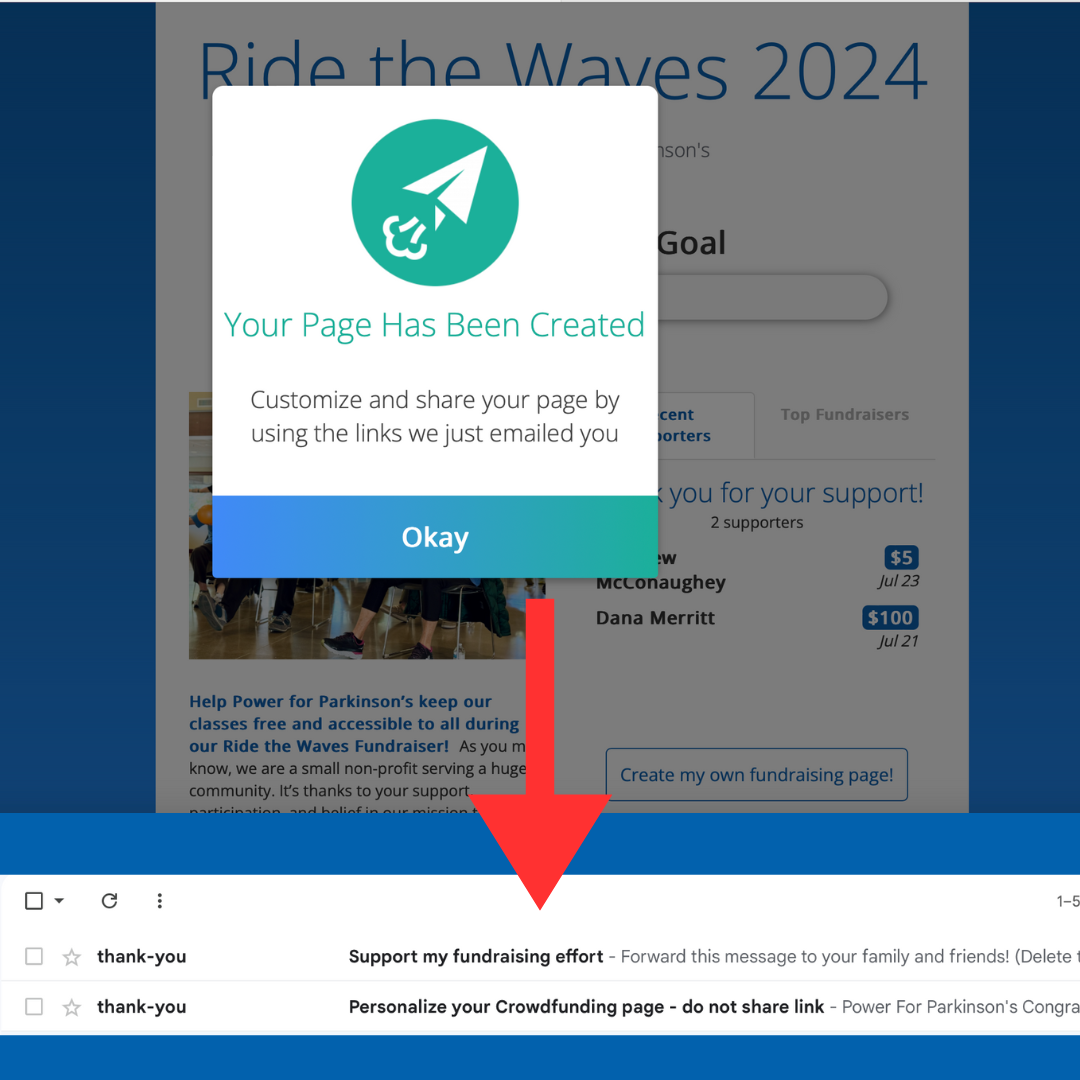
Step 3
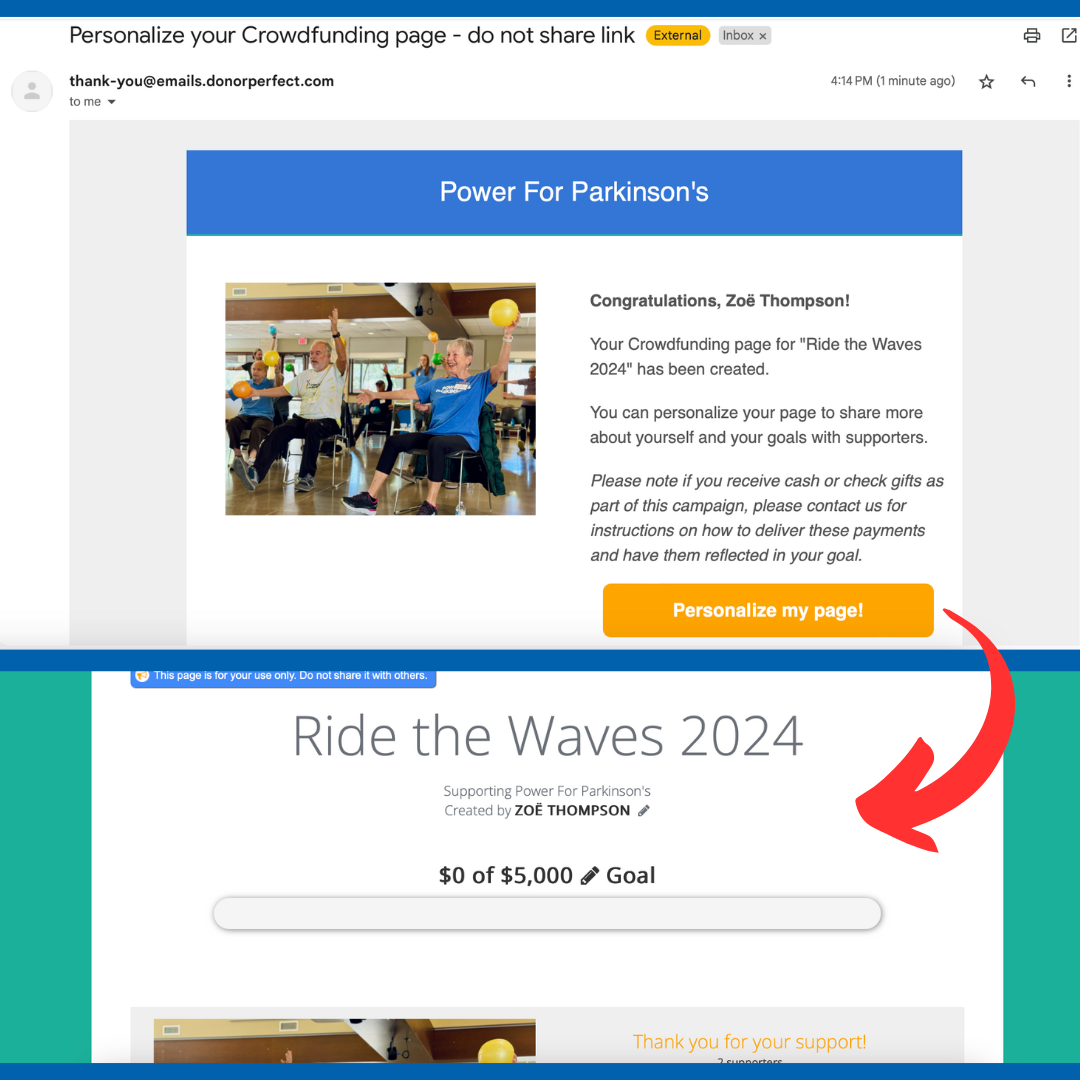
Your page has been created! You will receive two emails: one with a link to your page that you can forward to your friends, family, and anyone you would like to participate in the fundraiser, and another email with a link to customize the page.
Step 4
One of the emails will contain a link to personalize your page. If desired, you can click on this link to edit your crowdfunding page and fundraising goal and add your own photos and messages to the page.

Step 5
After editing your page to your liking, you can share it on social media, email it to your friends and family, and tell all of your friends! We appreciate your help!
Start a Facebook Fundraiser
If you already have a Facebook account, Facebook fundraisers are a great way to quickly and easily call on your friends and family to support a cause! Here’s how
Step 1
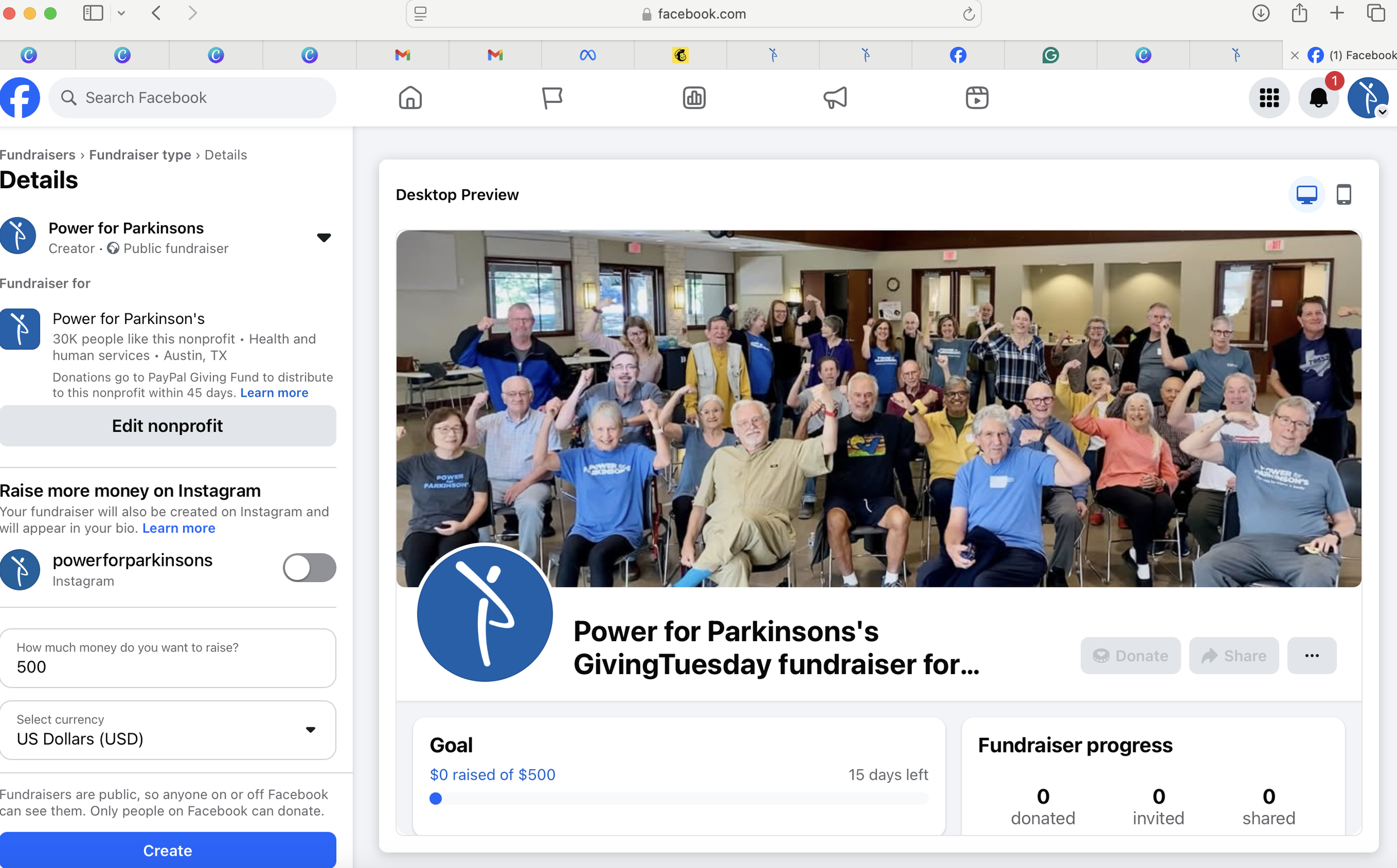
Go to facebook.com/fund/powerforparkinsons/ to begin creating your fundraiser on Facebook. You will need to be logged into Facebook.
Step 2
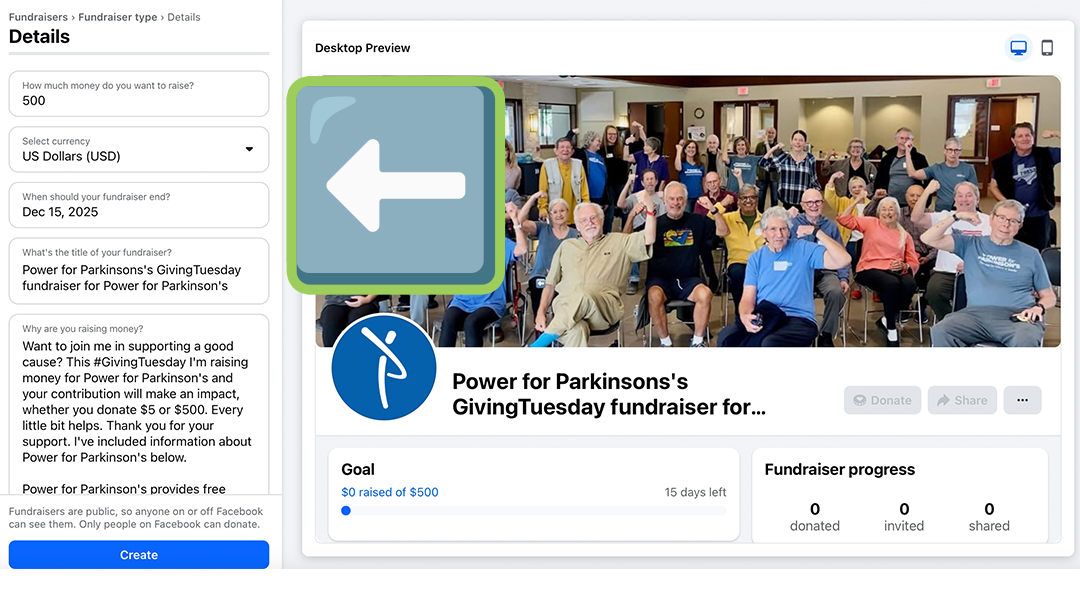
On the left side of the page you will be able to adjust details like how much money you’d like to raise, why you are raising money, and choose a banner image. These changes are optional, and it’s up to you what you’d like to include. If you’d like to change the banner image, you’re welcome to use one of our Ride the Waves Graphics from this folder.
Scroll down to see more options. Once you are ready, click the blue “create” button to launch your fundraiser.
Step 3
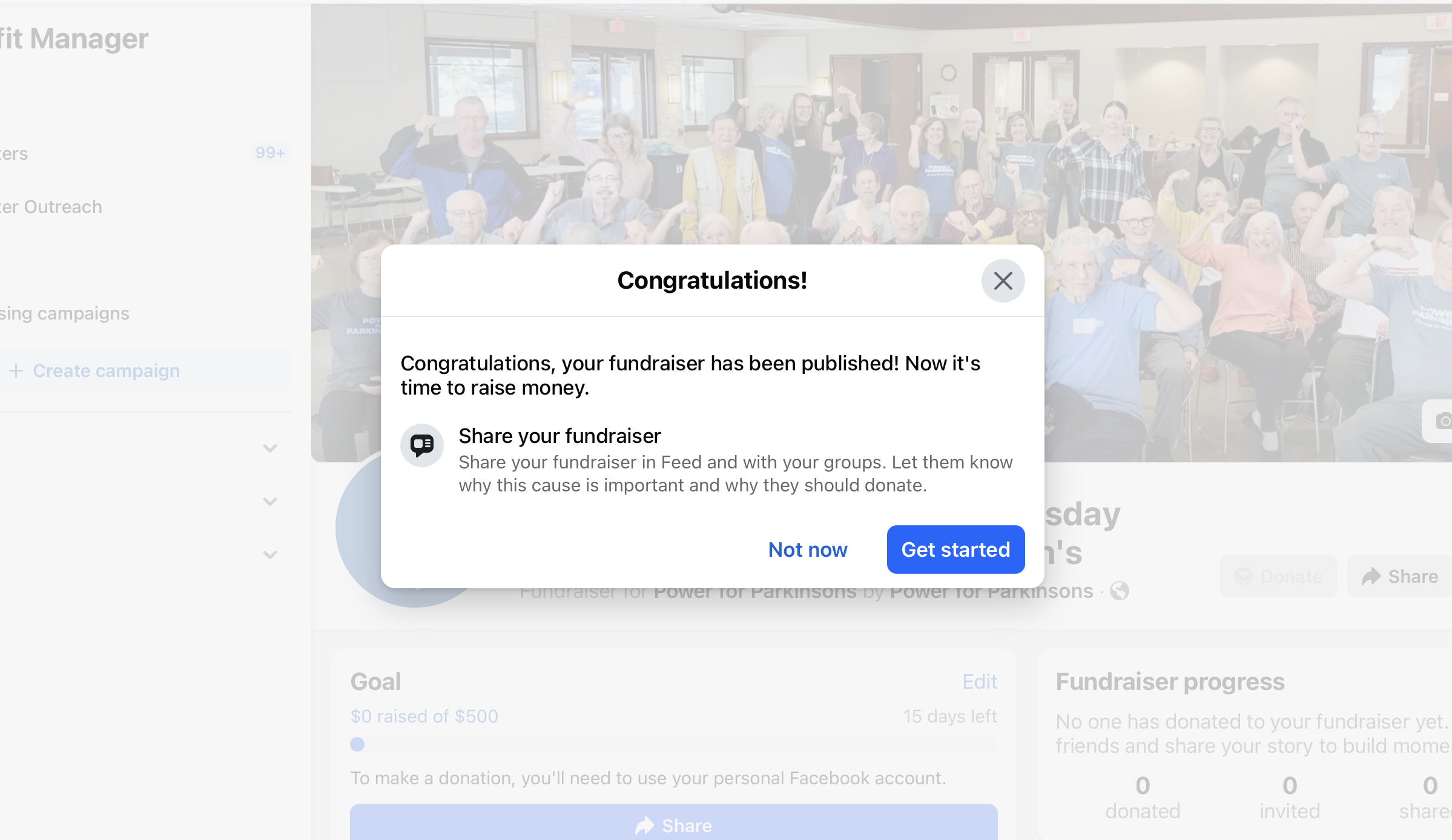
Your fundraiser is now up and running! Click the blue “Get Started” button to share your fundraiser with your friends and family. We appreciate your support!